Netconfig AT example
This document mainly describes the operation on the device Wi-Fi AT command set Detailed examples of commands.
Important
This network distribution example will have different adaptations for different modules. For specific differences, please check the support of the module instructions in your hand: Firmware iterations and differences。
Easy WiFi Config Bluetooth distribution network
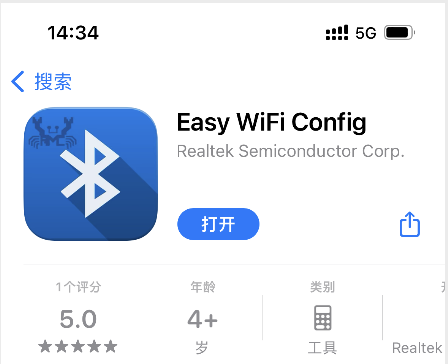
APP download /
On the IOS phone,You can get it by searching for Easy WiFi Config in the App Store
Android phone apk installation package download:Mobile phone apk installation package
Set the Wi-Fi working mode of the module and save it to Flash
command:
AT+WMODE=1,1Response:
OK
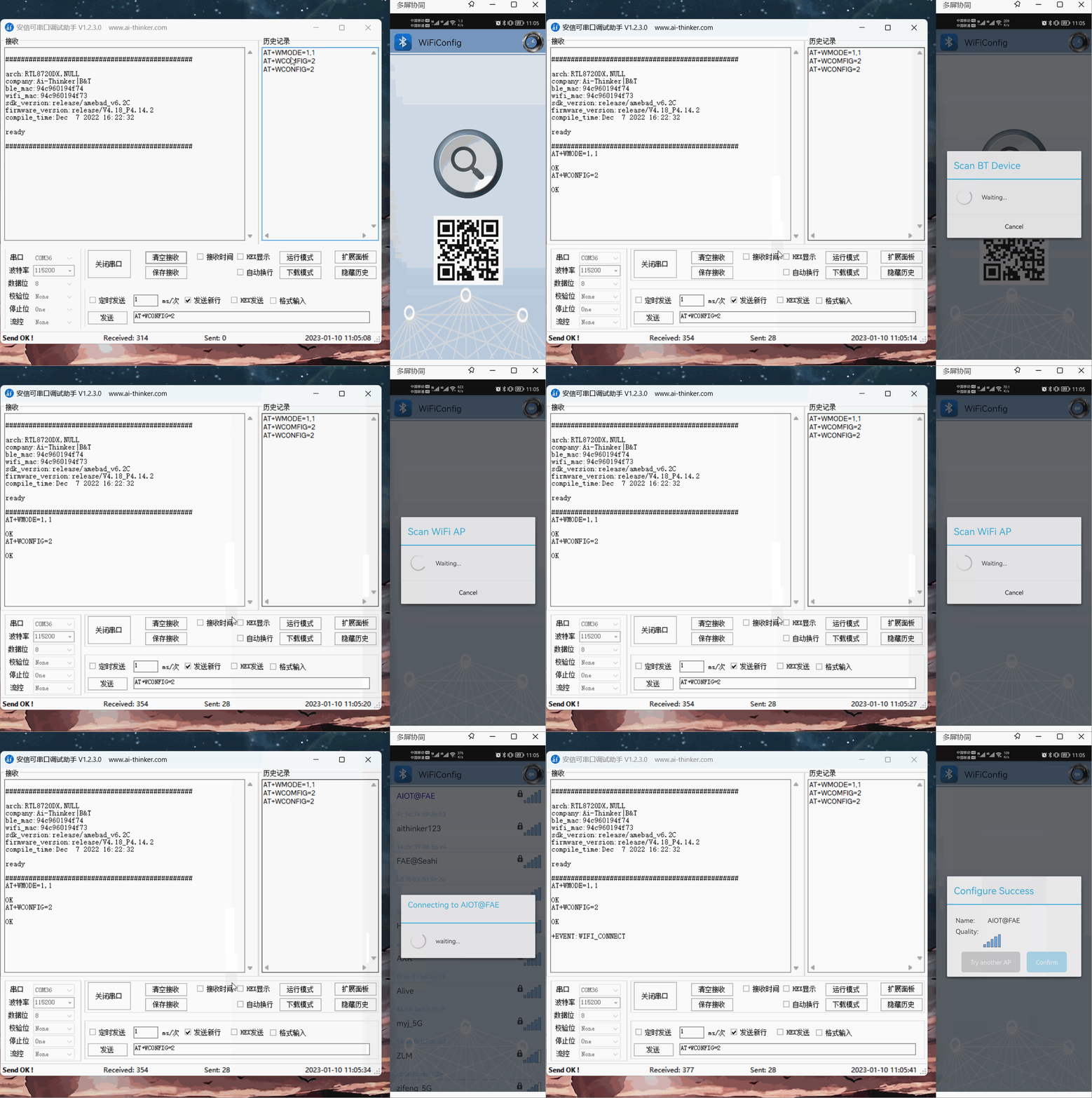
Turn on the bluetooth distribution network
command:
AT+WCONFIG=2
Response:
OK
APP operation
SmartConfig One-click network configuration
APP download:
For IOS phones, search for Esptouch in the App Store
Android phone apk installation package download:Mobile phone apk installation package
Set the Wi-Fi working mode of the module and save it to Flash
Command:
AT+WMODE=1,1
Response:
OK
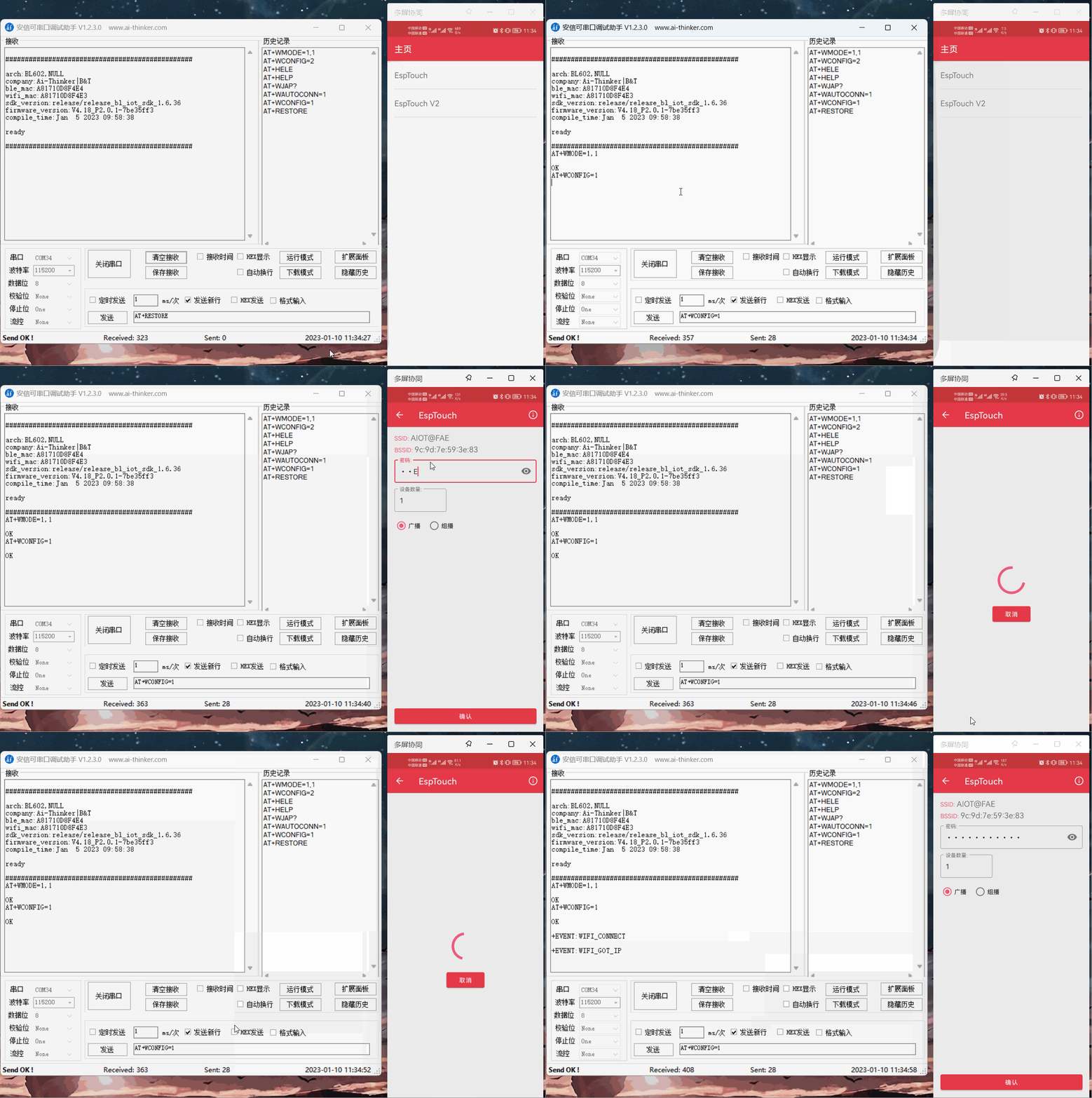
Start SmartConfig once
Command:
AT+WCONFIG=1
Response:
OK
APP operation
After the network configuration is complete, disable the network configuration mode. Otherwise, a large amount of memory is occupied
- Command:
Response:
OK
Wechat Airkiss one button network
Airkiss network can be configured using the wechat official account or wechat mini program, without the need to download the App
Set the Wi-Fi working mode of the module and save it to Flash
Command:
AT+WMODE=1,1
Response:
OK
Open Airkiss distribution network once
Command:
  AT+WCONFIG=3

Response:
OK
3. Wechat public account distribution network: pay attention to Anxinke Technology wechat public account, Airkiss distribution network interface is located in Application Development > wechat distribution network
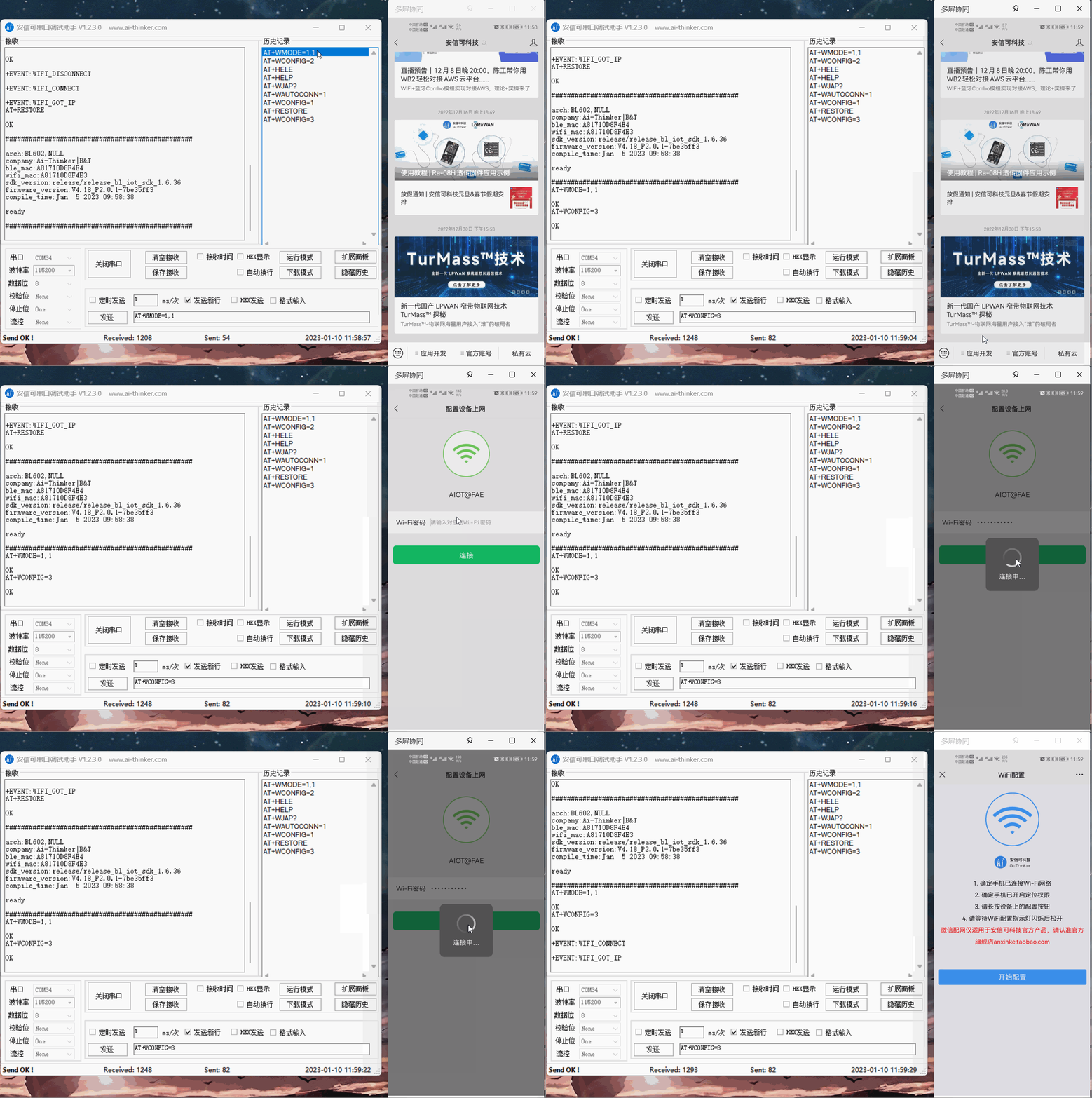
Wechat mini program distribution network: search Anxinke IOT mini program:
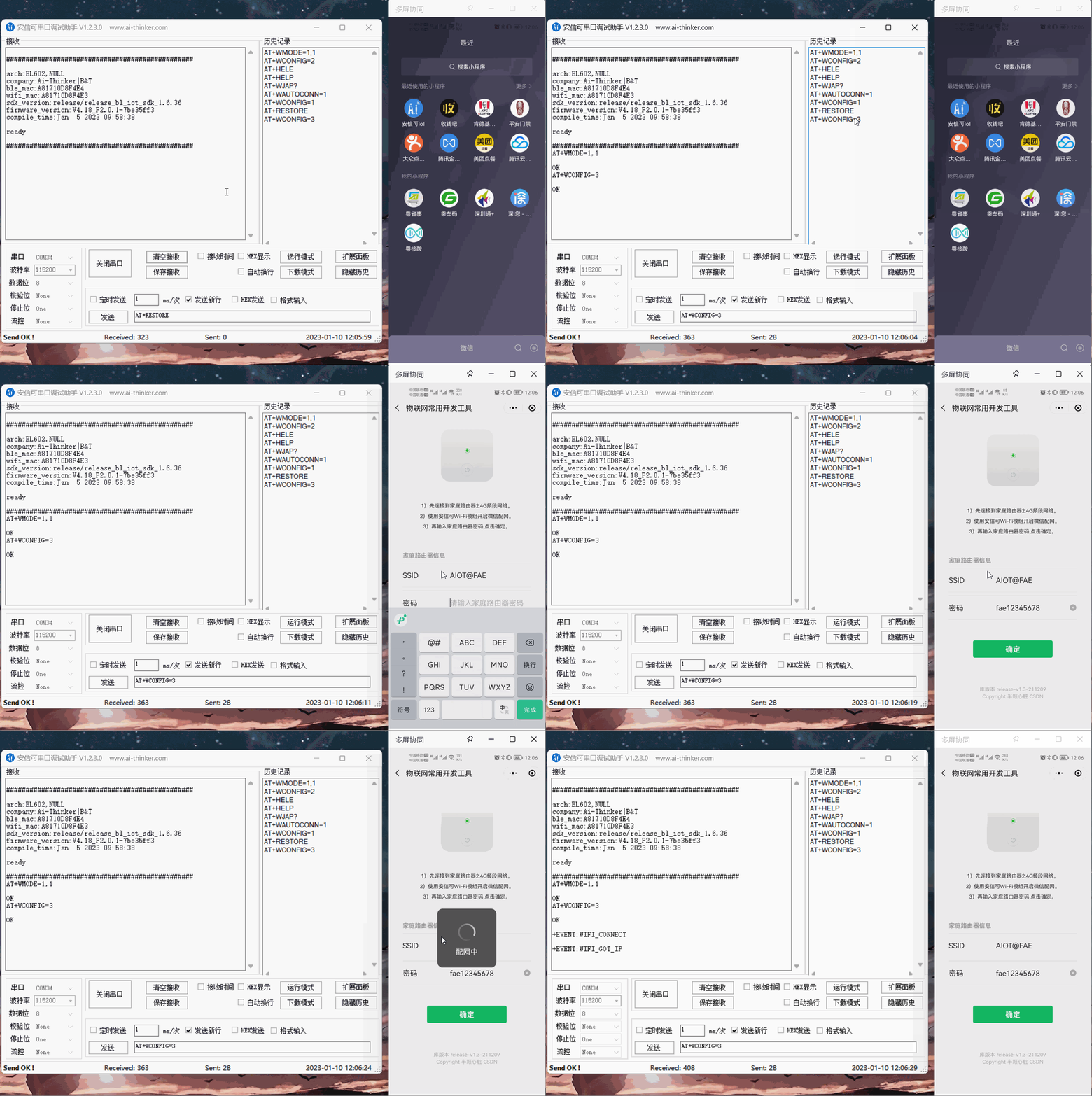
After the network configuration is complete, disable the network configuration mode. Otherwise, a large amount of memory is occupied
Command:
AT+WCONFIG=0Response:
OK
Blufi Bluetooth network
blufi can be connected with an app or a small program
APP download :
For IOS phones, you can search EspBlufi in the App Store
Android phone apk installation package download:Mobile phone apk installation package
Mini program: WeChat search Ai-Thinker IOT small program
Set the Wi-Fi working mode of the module and save it to Flash
Command:
AT+WMODE=1,1
Response:
OK
Open a blufi distribution network
Command:
AT+WCONFIG=2
Response:
OK
app network distribution mode:
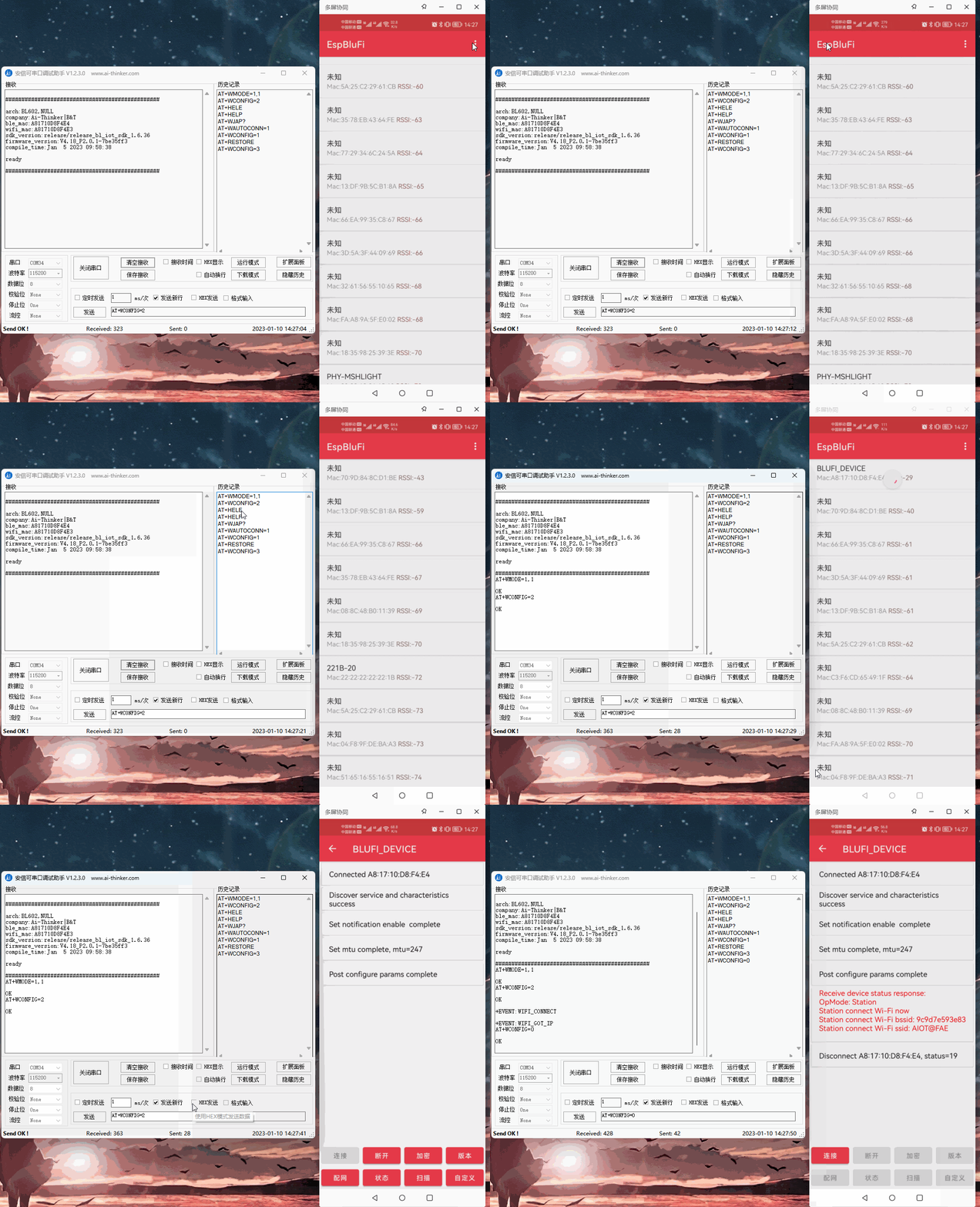
Mini program distribution network mode:
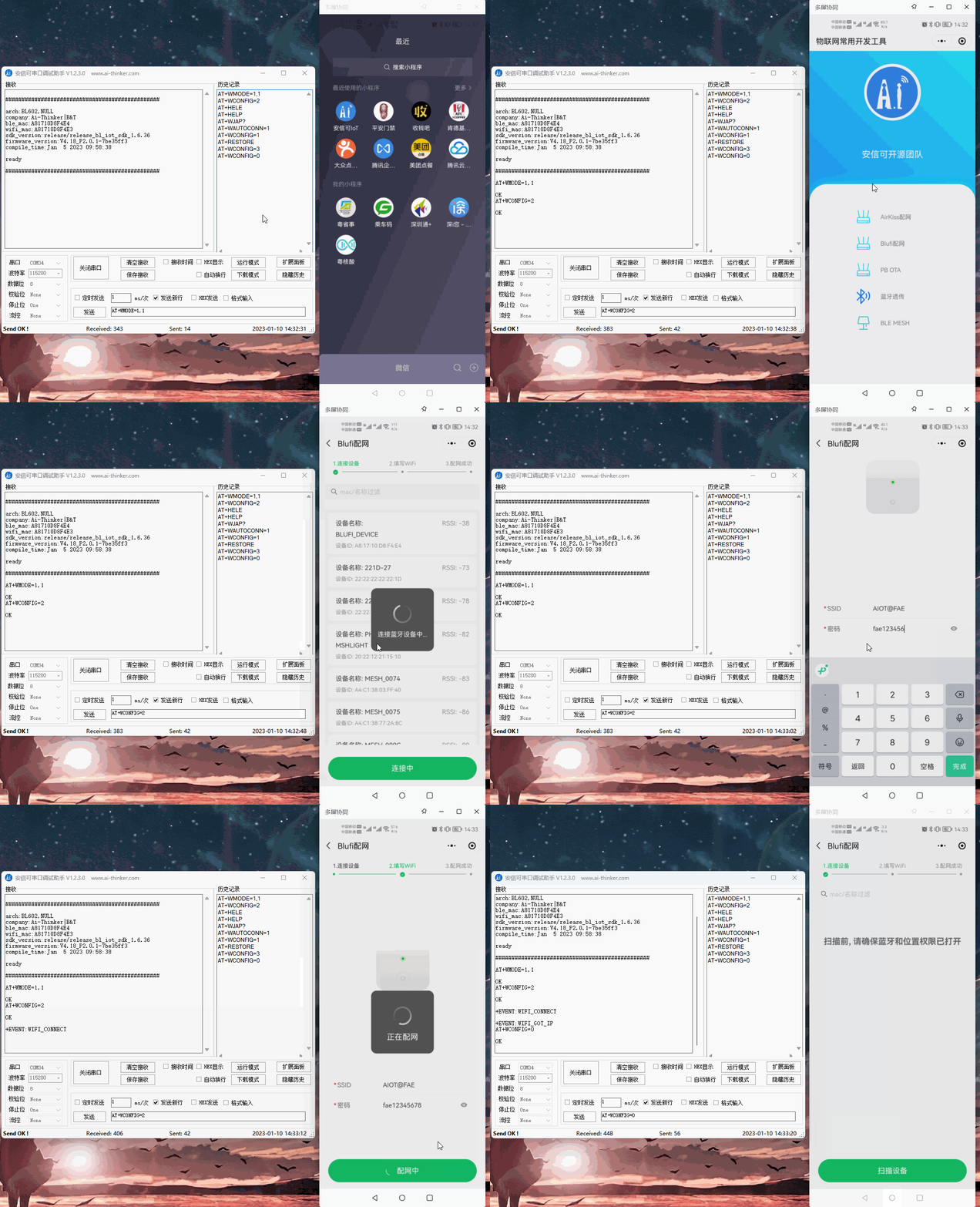
After the network configuration is complete, disable the network configuration mode. Otherwise, a large amount of memory is occupied
Command:
AT+WCONFIG=0
Response:
OK
Command distribution network
Target router ssid: AIOT@FAE, password: fae12345678
Set the Wi-Fi working mode of the module and save it to Flash
Command:
AT+WMODE=1,1
Response:
OK
Connect to the target router
Command:
AT+WJAP="AIOT@FAE","fae12345678"
Response:
OK
Set automatic reconnection to WiFi after power-on
Command:
AT+WAUTOCONN=1
Response:
OK
If multiple SSIDs and passwords are the same in the same environment, how do I connect to the router with the strongest signal
Target router ssid: AIOT@FAE Password: fae12345678
Scan the target ssid by the command AT+WSCAN=< ssid >
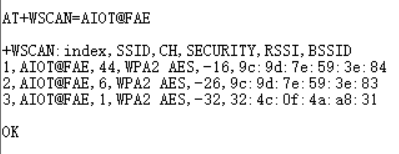
By scanning, we can know that the strongest signal intensity is -16dBm and bssid is 9c:9d:7e:59:3e:84. AT+WJAP can connect to the router with the strongest signal with the bssid parameter
Set the Wi-Fi working mode of the module and save it to Flash
Command:
AT+WMODE=1,1
Response:
OK
Connect to the target router
Command:
AT+WJAP="AIOT@FAE","fae12345678","9c:9d:7e:59:3e:84"
Response:
OK
Set automatic reconnection to WiFi after power-on
Command:
AT+WAUTOCONN=1
Response:
OK